Your dashboard is home base. It greets you, shows your current plan, tracks your setup, and links to every tool you need to sell.
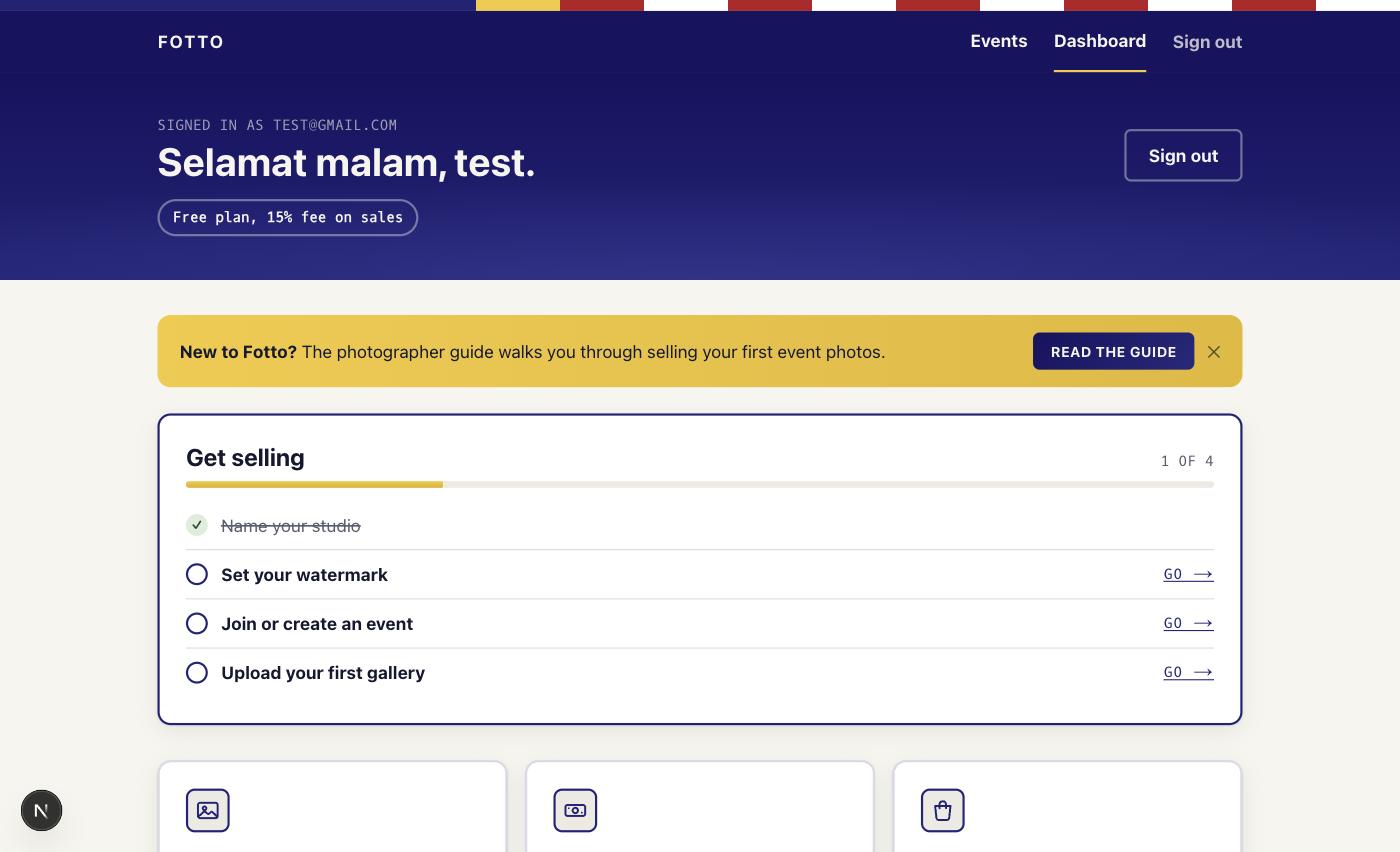
The greeting band
At the top you get a greeting and, just under it, your plan chip. On the Free plan it reads "Free plan, 15% fee on sales". On a paid plan it shows your tier and the date it runs until. Select the chip to compare or manage plans.
New accounts also see a "New to Fotto?" banner linking to this guide. Dismiss it once and it stays gone.
Get selling checklist
The "Get selling" card tracks your first five steps:
- Name your studio (ticked the moment you become a photographer)
- Set your watermark
- Join or create an event
- Upload your first gallery
- Publish so runners can buy
A progress bar shows how far along you are, for example "3 of 5". Finished steps are crossed out. Each unfinished step has a Go link that takes you straight there. The card disappears once all five are done.
Note
Publishing is the step that matters most. Runners can only find and buy from a published gallery. If the checklist is still showing, you are probably not selling yet.
Storage
The storage bar shows how much of your plan's space you have used, for example "2.5 GB of 5 GB", plus how many active events you are running. Usage is measured in storage, not photo counts. When you pass 90% full, the bar warns "Almost full". Delete photos you no longer need or upgrade for more room. Archiving a gallery does not free storage; only deleting photos (or upgrading) does, because archived galleries still count toward your plan.
Your events
If you have created an event, or you are its claimed organiser, it shows up under Your events. Each card links to Manage event and View event page, so you can get back to an event you set up without hunting for it.
Teams you belong to
If another studio has invited you as a shooter or manager, a Teams you belong to section lists each studio, your role, and the galleries you can work on. Uploads to a studio's galleries use the studio's storage, not yours.
The tool grid
A grid of tiles links to everything:
- Galleries: upload, price, and publish your event photos.
- Sales: see what has sold and export a CSV report.
- Purchases: photos you have bought as a runner.
- Payouts: what you are owed, and your payout history.
- Payout details: bank and DuitNow details we use to pay you.
- Watermark settings: set the text or logo stamped on preview photos.
- Profile: bio, contact links, and your profile photo.
- Upgrade: compare plans and manage your subscription.
Note
Some accounts see extra tiles. Team appears if you are on the Studio plan, or already have team members; it is where you invite shooters and managers to upload under your brand. Public profile appears once your public page is live. Admin is for Fotto admins only. Everyone sees the core eight above.
Next: set your watermark.