A gallery is your set of photos for one event. You create it, price it, then upload into it.
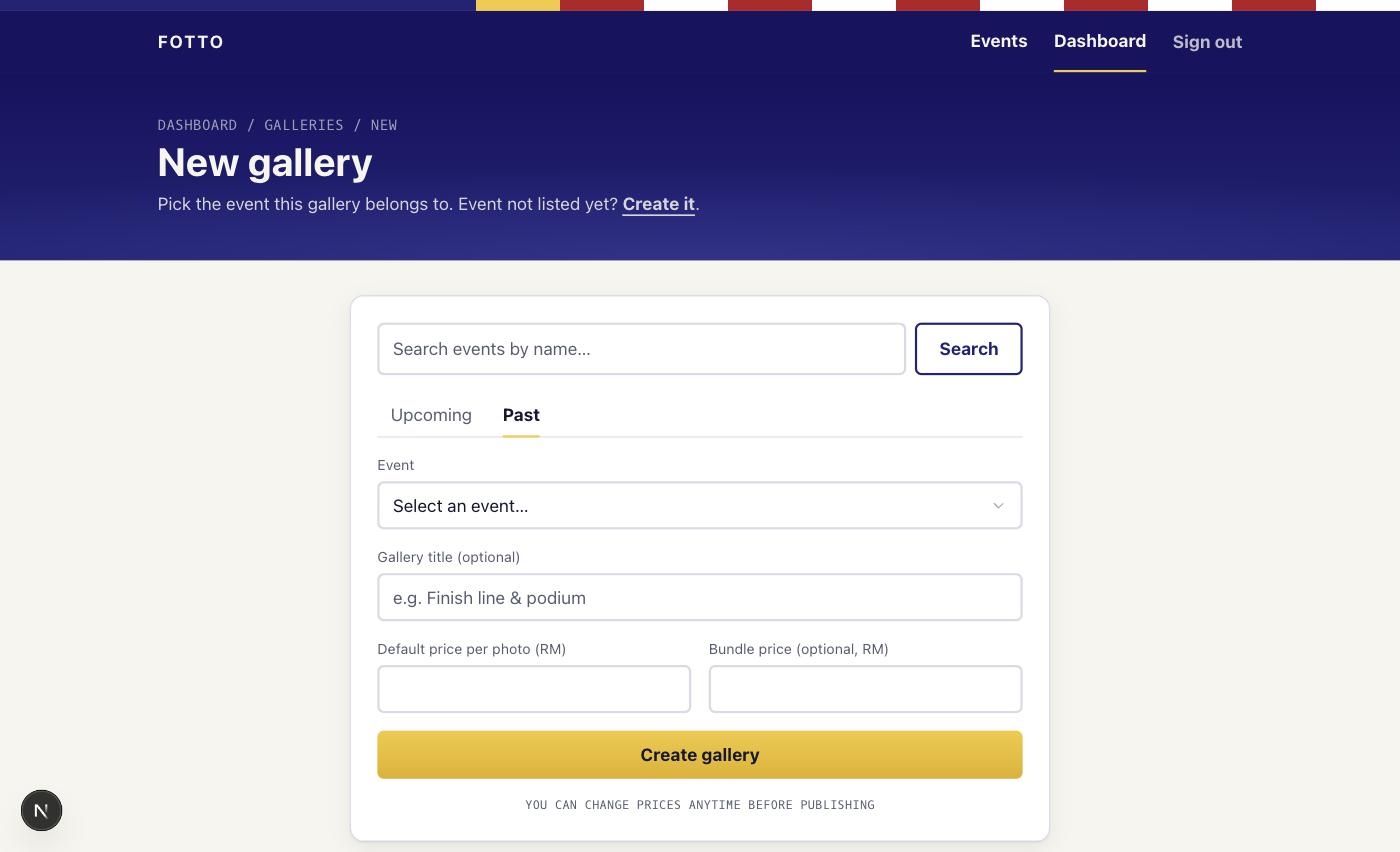
Open Galleries from your dashboard, then New gallery.
- Pick the event. Search by name, using the Upcoming or Past tabs. Not listed? Use "Can't find your event? Create it here" right in the form.
- Gallery title (optional): helpful when you shot more than one spot, for example "Finish Line" or "KM30".
- Default price per photo: what each photo costs, in ringgit (RM8 minimum). You can set different prices per gallery.
- Bundle price (optional): one price for the whole gallery. It only applies when a buyer takes every ready photo in the gallery. For deals on smaller selections (Foto-Flat and photo packages), use the manage screen after creating. See Set your prices.
- Select Create gallery.
Note
You can change prices anytime, even after publishing. No need to get them perfect on day one.
Two things can block creation: you can only have one gallery per event, and on the Free plan you can only have 1 active event at a time. Archive an old gallery or upgrade to free up a slot.
Once the gallery exists, you upload your photos into it.